

The Best Shopify App to Edit Your Theme with AI Prompts (No More Waiting on Developers)
Guest post: how SectionKit's AI Theme Code Editor lets you edit your Shopify theme by describing the change in plain English — no Liquid, no waiting on a developer.
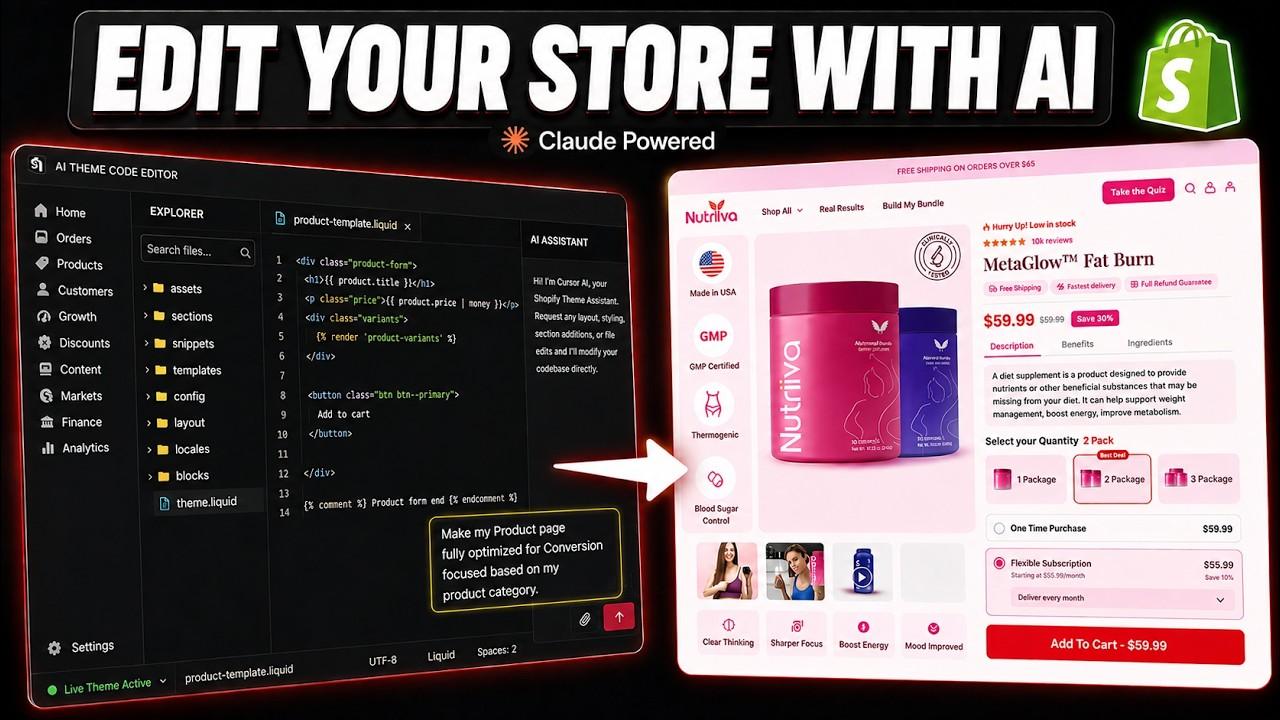
If you run a Shopify store, you already know this feeling: you want to change one small thing on your theme, move a section, tweak a font size, add a custom badge, and suddenly you're stuck. Either you don't know Liquid, or you're afraid of breaking your live store, or you're emailing a developer and waiting two days for a $150 fix that should have taken ten minutes.
This blog breaks down that exact pain point, walks through how Shopify merchants and developers have traditionally worked around it, and introduces a faster way forward: editing your theme by simply telling an AI what you want.
The Pain Point: Shopify Theme Customization Is Still Too Hard#
Shopify's default theme editor is great for basic changes, swapping images, reordering blocks, editing text inside pre-built sections. But the moment you need something the theme wasn't designed to do, you hit a wall.
Here's what that usually looks like in practice:
-
You're not a developer, but you need developer-level changes. Custom spacing, a new section layout, a conditional element that only shows on certain products, none of that is a checkbox in the theme customizer.
-
Hiring help is slow and expensive. A freelancer or agency ticket for a "small" Liquid fix can take days to schedule, and costs add up fast when every tweak is billed separately.
-
The built-in code editor is intimidating. Shopify does give you raw access to Liquid, HTML, CSS, and JSON files, but it's a blank text editor with no guidance. One misplaced tag and a section (or the whole theme) can break.
-
Back-and-forth kills momentum. You describe what you want, the developer builds it, it's not quite right, you send feedback, you wait again. A one-line change can turn into a week-long thread.
-
Theme apps only go so far. Section-builder apps give you flexibility within their own blocks, but the second you need something outside their templates, you're back to hiring a developer or opening the code editor yourself.
The result: merchants either settle for a store that looks "good enough," or they pay a premium in money and time, for every small design decision.
How Merchants and Developers Handle This Today#
Before looking at a better solution, it's worth understanding the generic approaches people currently rely on, and why each one falls short.
1. The native Shopify theme editor Fine for content updates, but limited to whatever sections and settings the theme developer built in. No real flexibility for custom layouts or logic.
2. Hiring a Shopify developer or agency gets the job done, but it's the slowest and most expensive route for small, frequent changes. It also creates a dependency you can't move fast without someone else's calendar.
3. Editing Liquid code manually Shopify's built-in code editor gives full control, but it assumes you already know Liquid, HTML, and CSS. For non-developers, this is where mistakes (and support tickets) happen.
4. Section-library and page-builder apps These speed up building pages from pre-made blocks, but they're still template-bound. Once you need custom behavior, you're exporting code and editing it manually anyway.
5. Copy-pasting code from ChatGPT or Claude into the theme editor A newer workaround: merchants ask an AI chatbot to write Liquid code, then manually paste it into Shopify's code editor. It's better than nothing, but it's disconnected. The AI can't see your actual theme, your existing sections, or your file structure, so the code often needs manual fixing before it works.
This is exactly the gap an AI-powered theme editor built directly inside Shopify is designed to close.
The Better Way: Editing Your Theme with AI Prompts, Inside Shopify#
Instead of jumping between a chatbot and the Shopify code editor, imagine an app where the AI can see your live theme, understand its files, and make the edit for you right where you're already working. That's the idea behind an AI Theme Code Editor, and here's how the workflow looks:
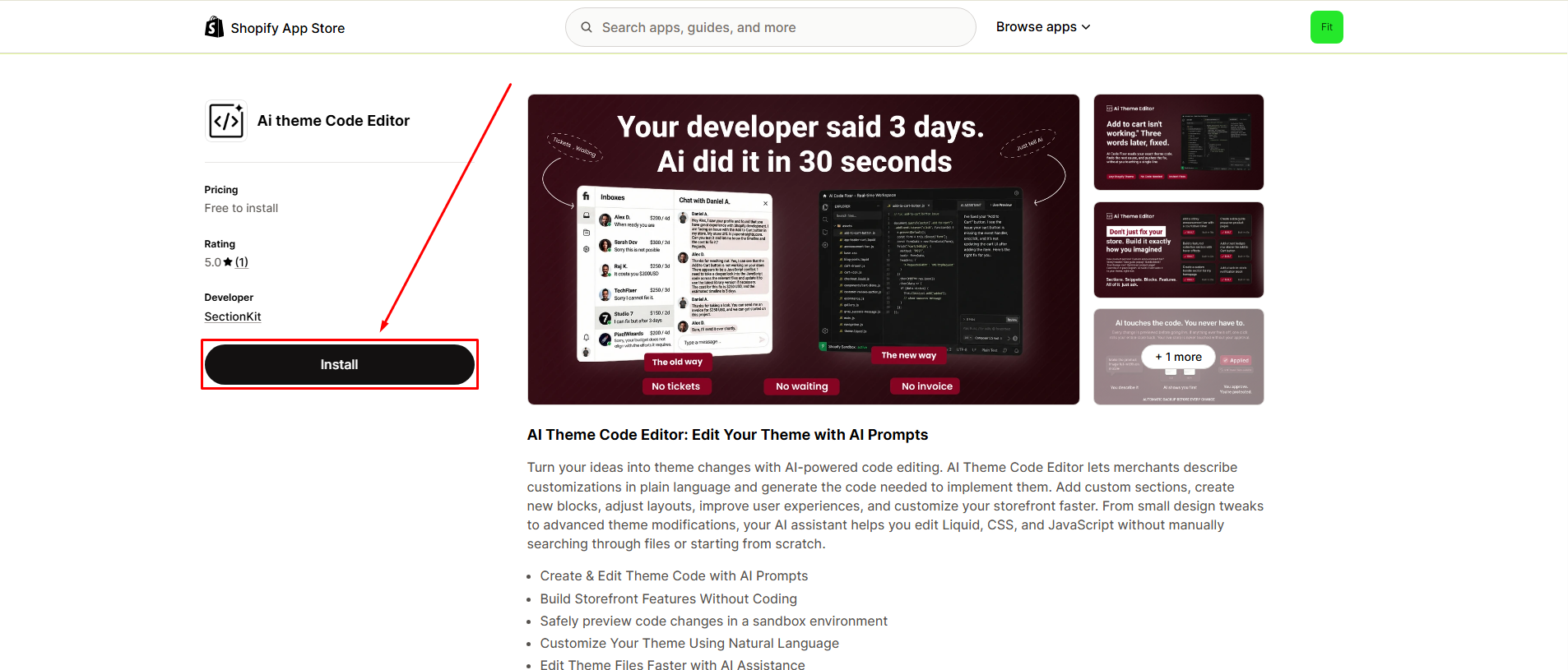
Step 1: Install the App#
Add the app to your Shopify store directly from the Shopify App Store: SectionKit on the Shopify App Store
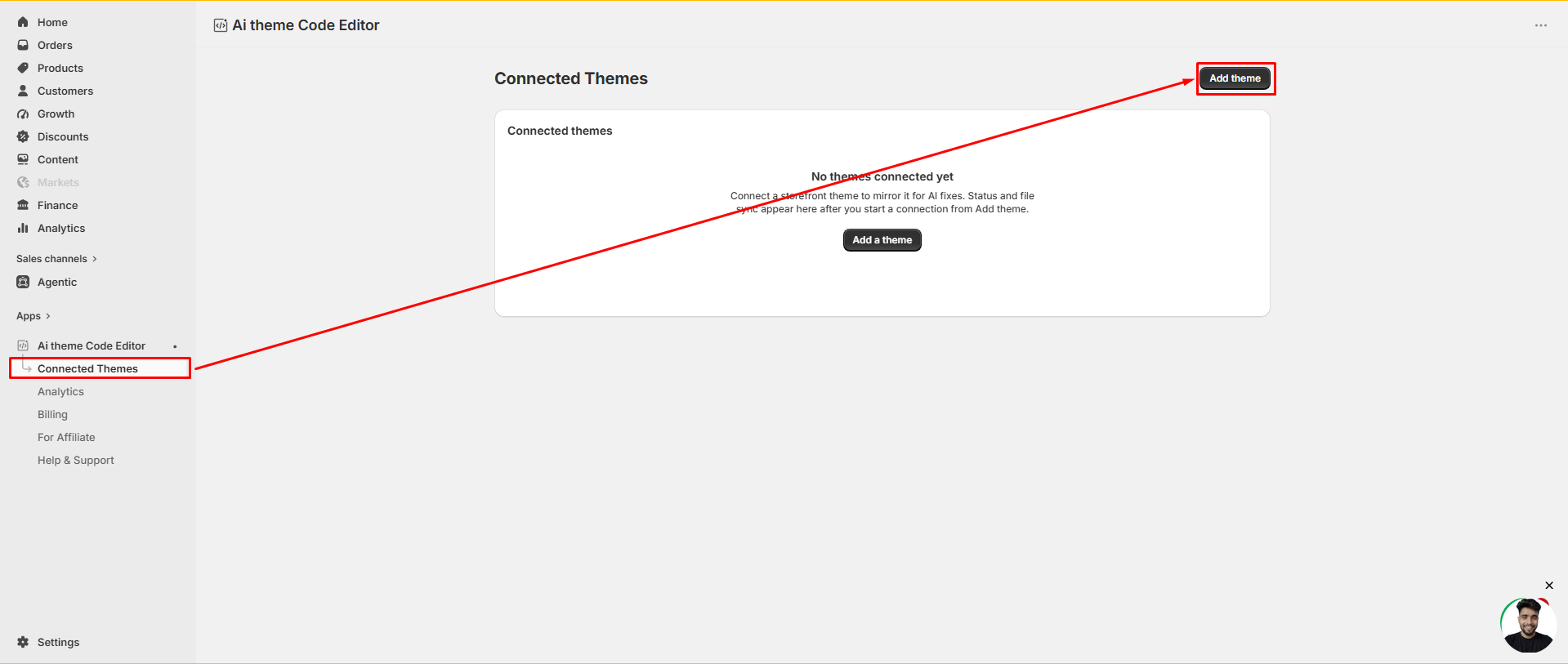
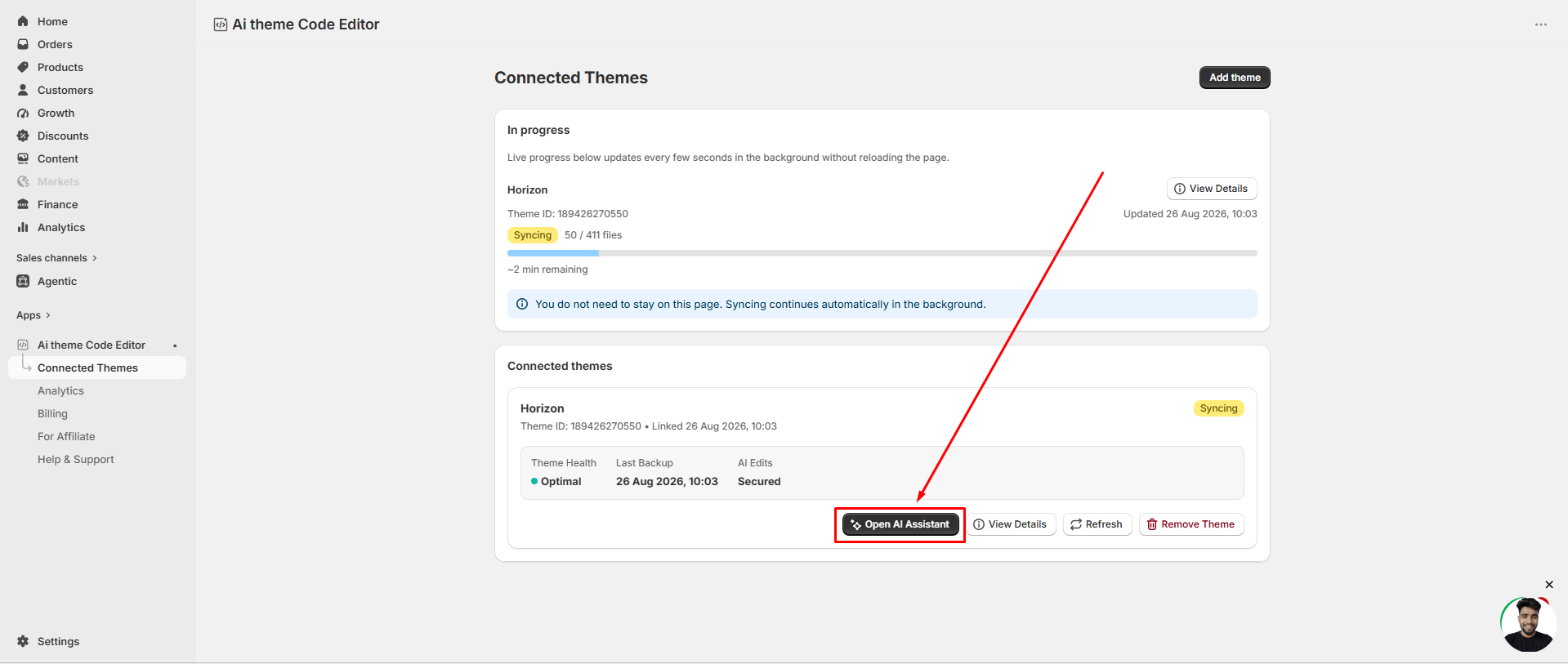
Step 2: Go to "Connected Themes"#
Once installed, open the app dashboard and navigate to the Connected Themes section.
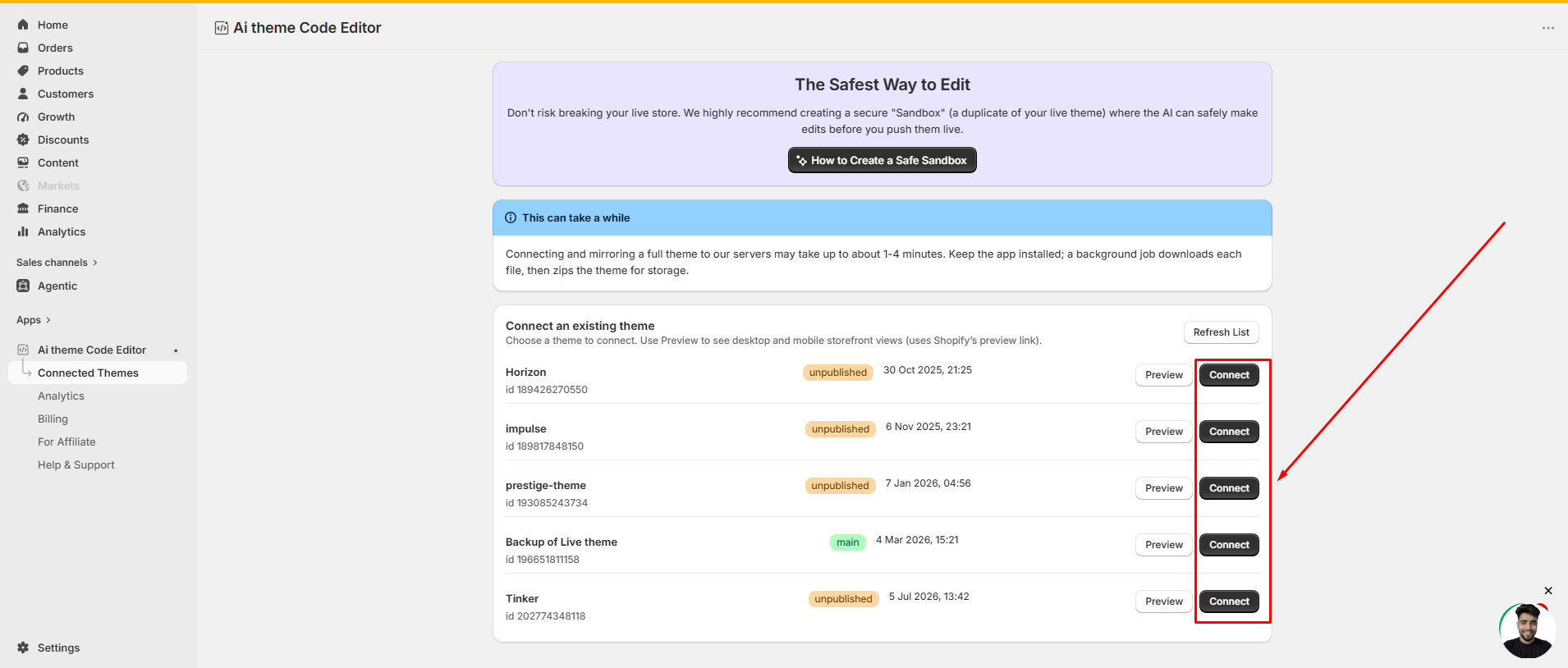
Step 3: Connect Your Store Theme#
The app automatically fetches every theme currently available in your Shopify store — published and unpublished — so you can pick exactly which one to work on.
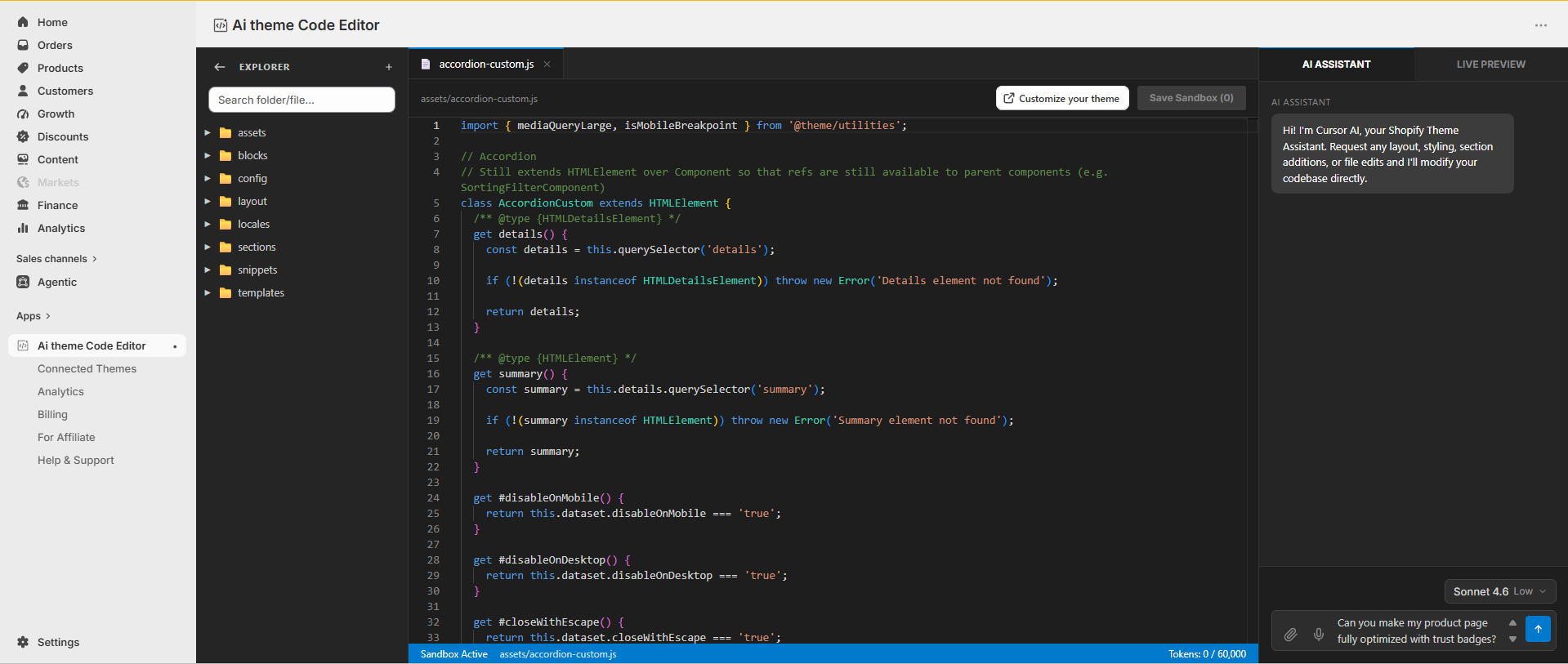
Step 4: Open the Code Editor#
Once a theme is connected, it opens directly inside a built-in code editor, giving you a clean, structured view of every file in your theme.
Step 5: Prompt Your Changes with the AI Chat Panel#
On the right-hand side, you'll find a chat panel powered by Claude — similar to how developers use Cursor for coding. Instead of writing Liquid yourself, you simply describe the change you want in plain English:
-
"Add a countdown timer above the Add to Cart button"
-
"Make the hero section full width on mobile"
-
"Create a trust-badge row under the product price"
The AI reads your actual theme files, understands the context, and writes (or edits) the code directly, no copy-pasting, no guessing which file to open.
Why This Approach Matters#
This workflow removes the two biggest blockers in Shopify theme customization: needing to know how to code, and needing to wait on someone else to write it for you. Because the AI is connected directly to your live theme files, not a generic chatbot working blind the changes it suggests are grounded in your actual store structure, which means fewer errors and far less manual cleanup.
For solo store owners, this means design independence. For agencies and developers, it means faster iteration, turning a task that used to take hours into one that takes minutes.
Final Thoughts#
Shopify theme customization has long forced a trade-off: either learn to code, or pay someone who already has. An AI-powered code editor built into your Shopify admin one that can read your theme and make prompt-based edits in real time changes that equation. It's not about replacing developers; it's about giving every merchant the ability to make the small, frequent changes that used to require one.
Try it here: https://apps.shopify.com/ai-code-fixer
Stop guessing. Fix it and see the money.
DynoWeb watches how shoppers actually behave on your storefront, points at the step that is costing you orders, and shows the revenue each fix moved.
Related guides
- 7 min read71.7% of Mobile Visitors Never Scrolled Past the Top Quarter of the HomepageCommunity threads show redesigns break mobile silently because the editor looks fine; real scroll, tap and layout data from a live Shopify store shows what that measures like from the shopper's side.
- 12 min readBest Shopify Session Replay & Recording Apps (2026)Eleven Shopify session recording and replay tools, what each one is genuinely built for, and the four things that decide the choice long before the feature list does.
- 6 min read2,877 Visitors, 5 Add-to-Carts, 0 Orders: What a Month of Session Data ShowedA month of real session data from one Shopify store: 2,877 visitors, 5 add-to-carts, zero orders, and the three specific places shoppers got stuck.
Or see every post.